dol - Markdown Notes App
dol is a notes app you write in markdown. Your notes live on your device, and you decide which server they sync through.
Windows 10+ · macOS 11+ (Apple Silicon) · iOS 15+ · Android 7+
Who It’s For
- Those who would rather not leave their notes on someone else’s server
- Those who write in markdown and want every file back whenever they ask
- Those who want the same notes on every device, over a route they picked
Key Features
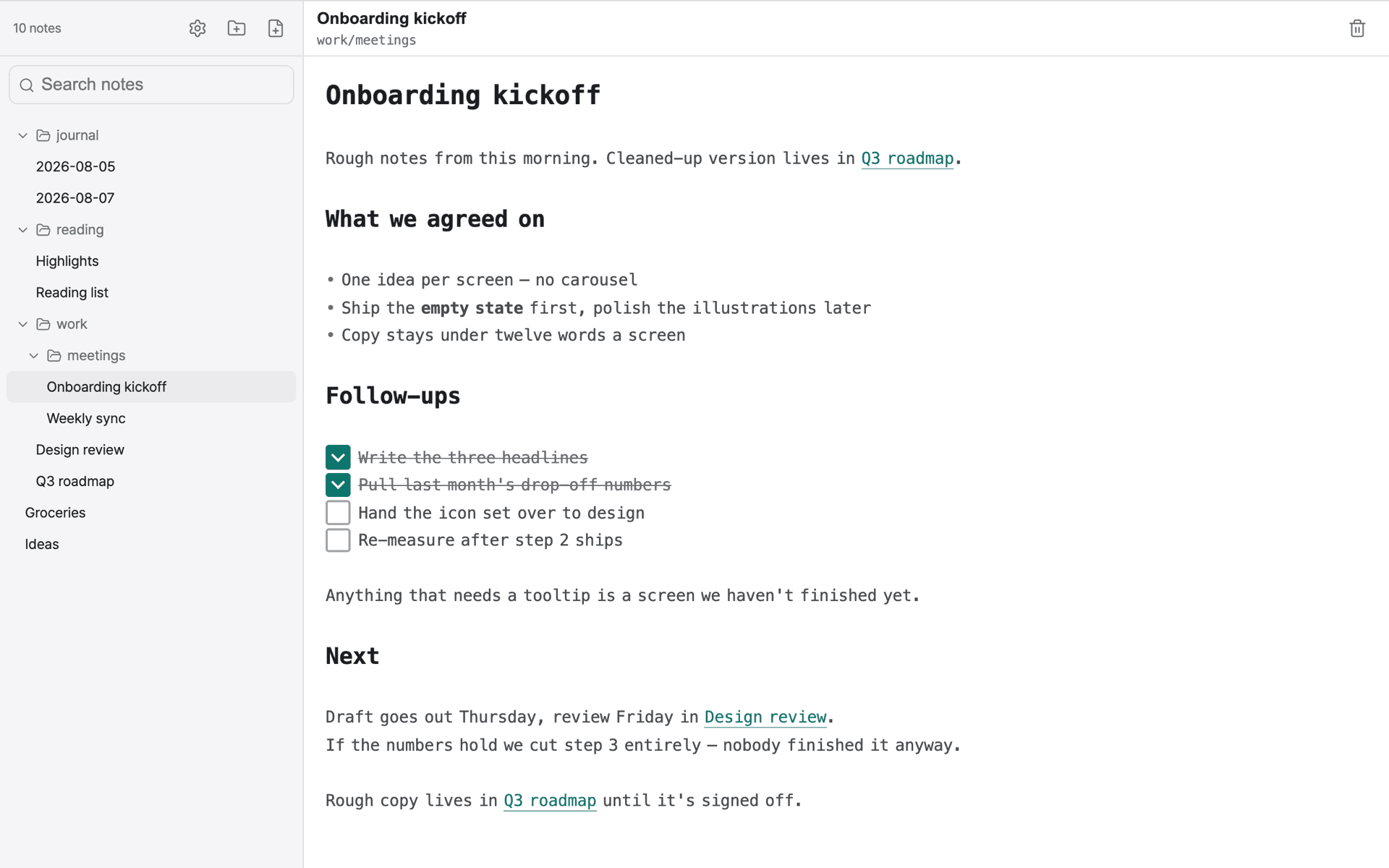
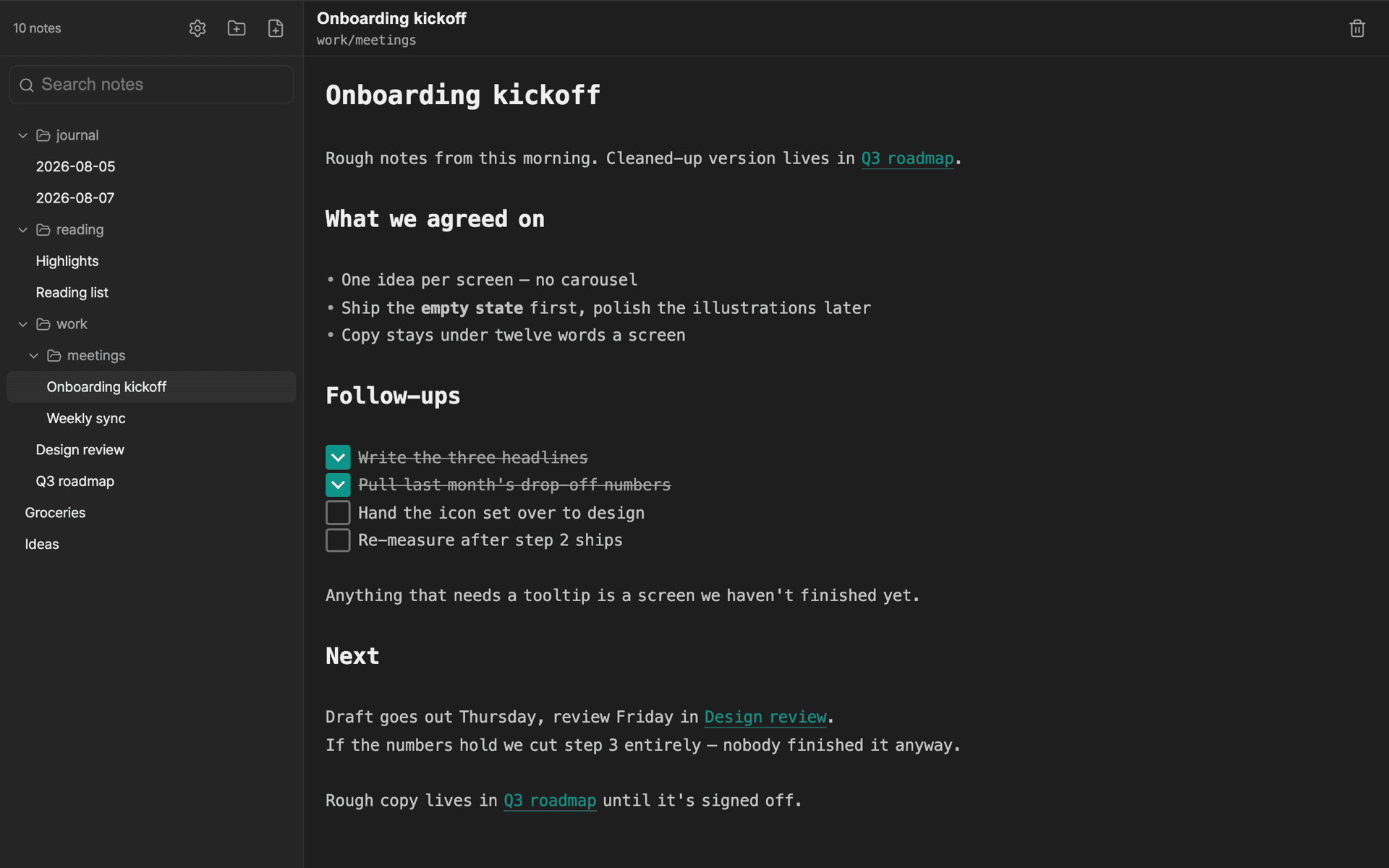
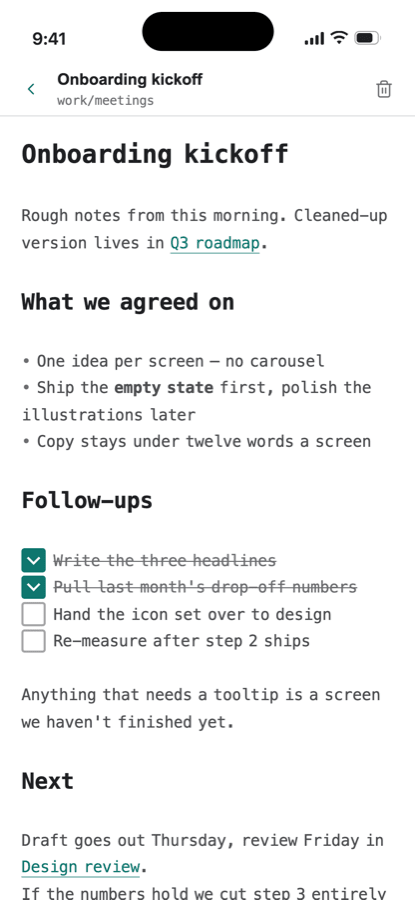
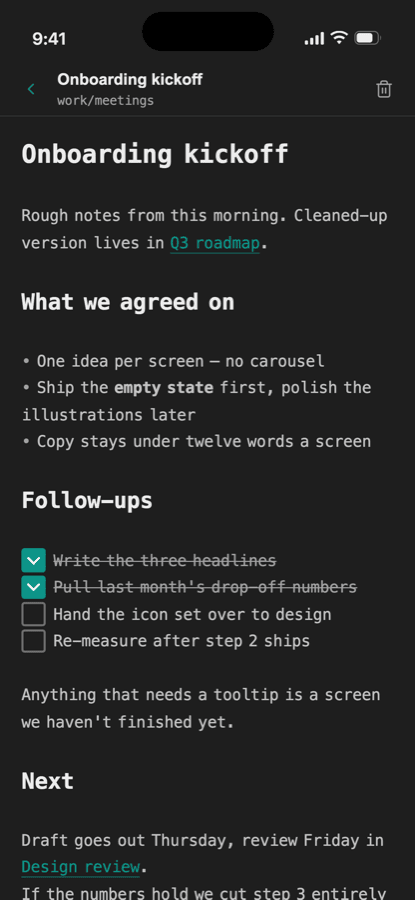
- Live Preview: Headings, lists, and checkboxes render right where you type — no switching between edit and view modes
- Wikilinks & Backlinks: Link notes with
[[note name]], and see at a glance what points back at the one you’re reading - Full-Text Search: Titles and bodies searched together, with results appearing as you type
- Folder Tree: Nest folders as deep as you like; collapsed branches stay collapsed between sessions
- Sync Through Your Own Server: Point dol at a CouchDB database you own and edits travel between machines on their own
- Import & Export: Bring in a folder of
.mdfiles you already have, or take every note and image out as a single zip
Product Info
| Item | Details |
|---|---|
| Price | Free |
| Platform | Windows 10+ · macOS 11+ (Apple Silicon) · iOS 15+ · Android 7+ |
| Data Storage | On your device; sync through a CouchDB server you own (optional) |
FAQ
Do I have to turn sync on?
No, it’s optional. Leave it off and your notes stay on this device, no internet connection needed.
How do I get a server?
Run your own CouchDB or use a host — either works. The setup guide walks you through it in about five minutes, and your credentials go in the OS keychain, not a config file.
Can I bring my existing markdown notes in?
Yes, import a folder of .md files as it is. You can also export every note and image as a single zip whenever you want.
Windows warns me when I install it
dol isn’t signed with a code-signing certificate yet, so Windows shows a blue “Windows protected your PC” screen the first time you run the installer. Click More info, then Run anyway.
Desktop download · Download on App Store · Download on Google Play